


ModsTune – AI Car Designer
4.5104.00 Reviews
App Specs
- Version
- 1.0.2
- Updated On
- License
- Free
- Downloads
- 100,000+
- Developer
- Mara Apps Development
- Categories
- Art & Design
- Platform
- Android
Screenshots
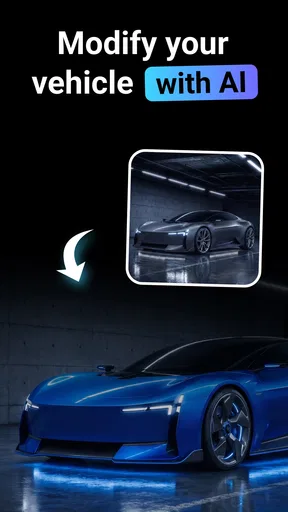
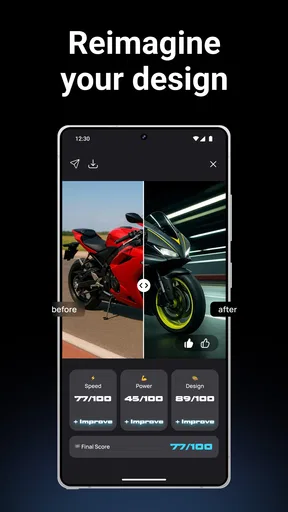
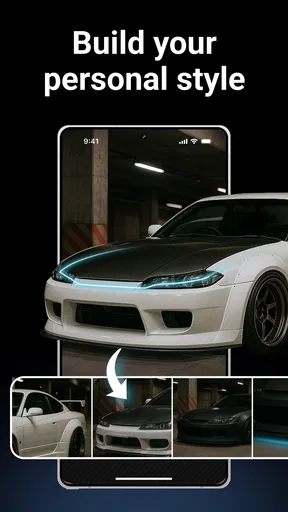
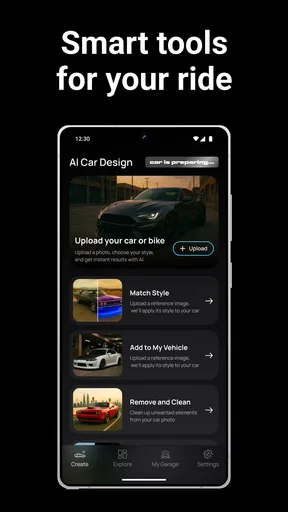
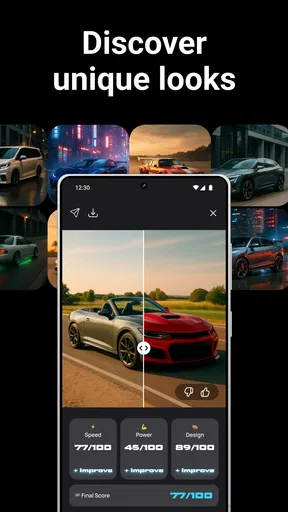
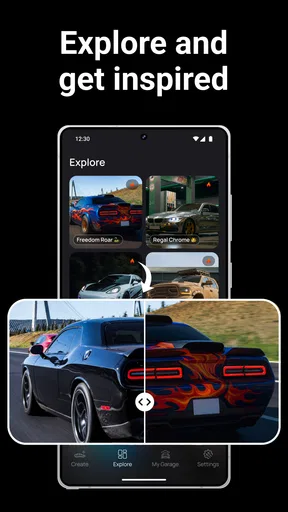
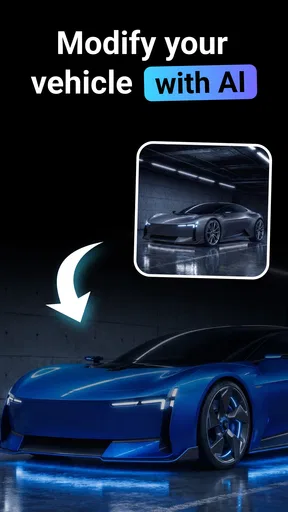
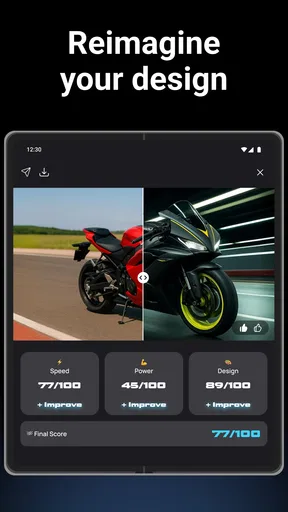
 Analysis by AppCompare
I approached ModsTune – AI Car Designer as a visual customization app rather than a conventional drawing tool or a game. Its purpose is easy to understand: it focuses on changing the look of cars and motorcycles, giving people a way to explore styling ideas without first opening a full professional design program. That makes it interesting for anyone who enjoys vehicle design, follows tuning culture, or simply wants to see how a familiar ride might look with a different identity.
My first impression was that the app is aimed at quick experimentation. You are not expected to spend hours learning a complicated interface before seeing something useful. The appeal is the ability to move from an ordinary vehicle concept to a more personalized visual direction, then decide whether the result feels convincing, exaggerated, or somewhere in between. I found that approach more approachable than starting with a blank canvas.
The app sits in the Art & Design category and comes from Mara Apps Development. It is free to install, with optional purchases listed from $9.99 to $29.99 per item. That distinction matters: the basic entry point does not require payment, but anyone considering the paid side should judge those purchases by how much extra creative freedom they actually need. The age rating is Everyone, so the concept is presented for a broad audience rather than a narrowly mature niche.
How the creative experience feels in everyday use
The most useful way to think about ModsTune is as a visual idea generator for vehicle customization. I would open it when I had a rough thought such as “this motorcycle would look better with a cleaner street style” or “what would this car look like with a more aggressive appearance?” Instead of trying to describe the idea to someone else, I could use the app as a starting point for seeing the direction on screen.
That makes it particularly suitable for casual planning. Someone considering a cosmetic change can use the result to compare moods before spending money on real parts or paint. A person making a social post can explore a distinctive look. A fan of cars and motorcycles can treat the process as a small creative exercise, with the fun coming from testing combinations that would be expensive, impractical, or impossible to try in real life.
I also like the separation between visual imagination and physical commitment. A real modification can involve compatibility, labor, maintenance, resale concerns, and a budget. A digital concept avoids those consequences while still helping you decide whether a certain style is attractive. That does not make the image a technical plan, but it can be a useful first conversation with yourself before researching actual parts.
Where the app is most helpful
A realistic everyday scenario would be choosing a look for a used vehicle. Imagine finding a compact car that is mechanically sound but visually plain. Before buying wheels, changing trim, or planning a wrap, I would use ModsTune to test whether a sportier direction genuinely improves the design or merely adds clutter. If the visual idea only works because of an unrealistic combination, that is still valuable information: it tells me to simplify the real-world plan.
Worth Reading Before You Choose

Flipboard Shows What News Apps Must Do Beyond the Feed

Switching to Android Auto Means Rethinking Your Driving Routine

Google Calendar Makes a Crowded Week Easier to Manage

Ludo King Makes the Most of the Minutes Between Plans

Baby Panda World Brings Quick Play to Modern Phones, but Its Game Library Feels Busy

ESPN’s Live Game View Makes Following Close Games Easier
The same workflow applies to motorcycles. A rider might be deciding between a restrained urban appearance and something more dramatic. Creating both directions digitally can make the choice less abstract. I would save or compare the concepts while asking practical questions: does the main color still look good with the body shape, does the design feel balanced from front to rear, and would the style remain appealing after the novelty wears off?
One less obvious benefit is that the app can help people communicate taste. Vehicle styling is full of subjective words such as “clean,” “mean,” “retro,” or “premium,” and those words mean different things to different people. A visual reference reduces confusion when discussing an idea with friends, a designer, or a customization shop. I would not hand over the image as an exact construction document, but I would use it to explain the general direction.
Tips for getting more from a concept
My first tip is to begin with a restrained idea instead of changing everything at once. If you alter the color mood, body character, and overall attitude in one step, it becomes difficult to understand which decision made the result work or fail. I would establish the main visual identity first, then judge whether additional drama improves it.
A second useful habit is to compare the vehicle against its own proportions. A design can look appealing in isolation but feel wrong when it competes with the shape of the car or motorcycle. I would pay attention to whether the visual emphasis supports the original silhouette rather than hiding it. This is especially important for users who are using the app to think about a real modification.
Third, I would create a deliberately conservative version before pursuing an extreme one. The conservative concept acts as a reference point. Without it, it is easy to mistake novelty for improvement. This side-by-side approach is one of the better ways to turn a playful app into a decision-making aid.
There is also a practical reason to keep expectations controlled. A generated or edited concept may communicate atmosphere better than exact physical detail. Treat the image as a style board, not a guarantee that a particular component, finish, or modification can be installed on a specific model. That distinction protects the app from being judged by a task it was not designed to replace.
Free access and the question of paid value
The free starting point is a genuine strength for curious users. I can understand why someone would want to test the experience before deciding whether it deserves a place in their creative routine. There is no need to commit money merely to discover whether vehicle visualization is enjoyable or useful to you.
The paid side needs a more personal calculation. Individual in-app purchases range from $9.99 to $29.99, so the value depends on how often you plan to use the app and how much the paid content improves your particular workflow. For a person who opens it once to imagine a new color, paying may be difficult to justify. For someone who regularly develops vehicle concepts, the higher cost may feel more reasonable if it provides the additional creative range they are seeking.
I would not describe the paid options as automatically good or bad value. The free access lowers the risk of trying the app, while the purchase range means frequent users should consider whether they will return often enough to benefit. My advice is to spend time with the free experience first, identify the exact limitation that is slowing you down, and only then decide whether a purchase addresses that limitation.
That approach also prevents a common mistake: paying because a design looks exciting in the moment, without knowing whether you will still use the app next week. The strongest case for spending is repeated use, not simple curiosity. If your interest is occasional, the no-cost entry point is likely the more sensible stopping point.
What it does better than familiar alternatives
Compared with a traditional drawing app, ModsTune offers a more focused starting point. A blank canvas gives you complete freedom, but it also asks you to construct the vehicle, perspective, proportions, and styling language yourself. That is rewarding for trained illustrators, yet intimidating for someone who only wants to explore a few car or motorcycle ideas. ModsTune is more direct because the subject is already the center of the experience.
Compared with a professional three-dimensional design package, it is easier to approach and better suited to quick visual thinking. Professional software can be more precise and more appropriate for engineering, detailed modeling, or production work, but the learning curve and time investment are much higher. I would choose the professional route when accuracy, measurements, or manufacturable parts matter. I would choose ModsTune when the question is simply whether a design direction looks appealing.
It also differs from browsing images on social platforms. Looking at other people’s builds can provide inspiration, but it does not necessarily help you test your own idea. This app puts more emphasis on personal experimentation. The tradeoff is that an inspiration feed may offer broader real-world context, while a design app is more useful when you already have a concept you want to explore.
Limitations I would consider before installing
The biggest limitation is the gap between visual suggestion and real-world certainty. I would never use a ModsTune concept alone to order parts, confirm fitment, estimate labor, or approve a paint job. The image can support a conversation, but it cannot replace model-specific research or advice from a qualified professional.
Another limitation is that fast experimentation can encourage surface-level decisions. It is easy to focus on color and attitude while ignoring practical matters such as visibility, maintenance, durability, or whether the design suits the vehicle’s original character. Users who want a serious build plan may find the app too conceptual and should move to specialized tools or expert consultation sooner rather than later.
There is also a difference between enjoying the creative process and needing repeatable results. If you require strict consistency across many views, exact dimensions, or a controlled catalog of parts, a dedicated design workflow may serve you better. I would see ModsTune as a flexible ideation tool, not a replacement for technical visualization software.
The purchase structure is another point to weigh carefully. Because optional items sit in a relatively broad price range, casual users should avoid assuming that every paid option will be worthwhile. The free entry makes testing easier, but the right decision still depends on your usage pattern. A person who wants a one-time experiment and a person building a large collection of concepts should not evaluate the same purchase in the same way.
Who should try it, and who should skip it
I think the app is a good match for car enthusiasts, motorcycle fans, aspiring customizers, and visually minded users who enjoy exploring different identities for a vehicle. It is also useful for people who struggle to explain a styling idea verbally. A rough visual concept can make an otherwise vague discussion much clearer.
It may appeal to younger users as well because the Everyone rating keeps the subject accessible. Parents or educators looking for a light creative activity may find vehicle design more engaging than a generic drawing prompt, especially for someone already interested in cars or motorcycles. I would still encourage users to understand that imaginative visuals are not the same as practical modification instructions.
I would skip it if your main goal is mechanical guidance, exact part compatibility, professional rendering, or engineering documentation. It is also not the best choice for someone who dislikes experimentation and only wants a fixed catalog of ready-made products. In those cases, a parts retailer, technical modeling application, or specialist design service would be a better fit.
For artists who want total control over line work and composition, a conventional illustration app may remain preferable. ModsTune’s value comes from reducing the distance between an idea and a vehicle-focused concept. If that shortcut feels restrictive, the freedom of a blank canvas may matter more than the convenience of a specialized tool.
Performance expectations and practical setup
The current version is 1.0.2, which places the app in an early stage of its development. I would approach it with a little patience, especially if I were comparing it with mature creative platforms that have had years to refine their workflows. An early version can still be enjoyable, but I would judge it primarily by whether the central design process is useful rather than expecting the depth of a long-established professional suite.
Compatibility is relatively broad, with support beginning at Android 7.0. That makes the app approachable for people who are not using a recent phone, although the quality of any visual workflow will naturally depend on the device itself. I would keep enough storage and battery available for creative sessions and avoid judging the concept solely from a very small screen if a larger display is available.
The app has passed the 50K+ install mark and holds a 4.5 average from around 2.4K ratings. Those figures suggest that the basic idea has attracted a meaningful audience, but they should not replace your own trial. A rating can tell you that many people enjoy the experience; it cannot tell you whether the app’s particular balance between simplicity, experimentation, and paid options matches your needs.
That is why I would test a complete mini-workflow rather than opening the app for a few seconds. Start with one car or motorcycle idea, make a restrained version, try a bolder direction, and decide whether the results help you think more clearly. If you finish that process with a stronger visual plan, the app has already demonstrated practical value for you.
My recommendation for different kinds of users
For a casual enthusiast, I would recommend starting free and treating the app as a creative playground. It is an easy way to turn “what if?” questions into visible concepts without the commitment involved in real customization. If the novelty fades quickly, you have lost little by trying the free experience.
For someone planning a real build, I would recommend using it at the earliest idea stage only. Create several directions, choose the one that best matches your vehicle and budget, then move to model-specific research. This two-step workflow is more reliable than expecting one visual app to handle inspiration, technical validation, and purchasing decisions.
For a frequent creator, the purchase question is more serious. The optional items may be worthwhile if they support repeated projects and solve a limitation you have personally encountered. I would keep a clear boundary between “I enjoy having more creative options” and “this purchase is necessary for my work.” The former is entertainment value; the latter needs a stronger reason.
For a professional designer, I would consider it a supplementary idea tool rather than a central production application. It may help with quick mood exploration or informal presentations, but precision-focused work still calls for software built around control, repeatability, and technical detail.
My final buying advice
ModsTune – AI Car Designer earns its place as a focused, approachable way to imagine customized cars and motorcycles. I like it most when I use it before making a real decision: comparing a few visual directions, finding out which style feels balanced, and creating a reference that is easier to discuss than a vague description.
Its free availability makes the decision straightforward for curious users. Install it, complete a small design exercise, and see whether the results genuinely help you think. If you only want occasional inspiration, staying with free access is sensible. If you return often and a paid item clearly expands the kind of work you want to do, the listed purchase range gives you a path to invest selectively rather than committing blindly.
I would not recommend it as a technical authority or as a substitute for professional design software. Its strength is earlier in the process, where imagination needs a visual form. With that expectation, the app feels useful and enjoyable instead of disappointing.
My verdict is to try it if your interest is visual vehicle customization, especially if you want quick concepts without learning a complex drawing or modeling system. Skip it if your priority is engineering accuracy, exact fitment, or a complete real-world build plan. For everyone between those extremes, the free starting point makes ModsTune an easy experiment, and its best value comes from using it thoughtfully rather than treating every striking concept as a finished answer.
Pros
- Quickly generates creative car concepts from simple text prompts.
- Useful for exploring custom paint
- body kits
- wheels
- and styling ideas.
- Visual results make it easier to compare different design directions.
- Beginner-friendly interface requires no professional design experience.
- Can provide inspiration before discussing modifications with a workshop.
Cons
- AI results may include unrealistic parts or impractical vehicle proportions.
- Some generated designs can look repetitive or miss specific instructions.
- High-quality renders may require a stable internet connection.
- Customization depth may be limited compared with professional 3D software.
- Generated concepts may not reflect real-world costs or road regulations.
FAQs for ModsTune – AI Car Designer
What is ModsTune – AI Car Designer and what can I do with it?
ModsTune – AI Car Designer is an app focused on visualizing customized vehicles with the help of artificial intelligence. You can experiment with different styles, body modifications, colors, wheels, lighting, and other tuning ideas to create a personalized car concept. It is mainly intended for inspiration and entertainment, rather than serving as a professional automotive design or mechanical planning tool.
Does ModsTune require an internet connection to work?
Most AI-powered functions generally require an active internet connection because images and design transformations are processed online. Without reliable Wi-Fi or mobile data, generation times may increase or certain features may not work at all. Before downloading, users should also check whether the app offers offline access to saved designs, since online generation and offline viewing may be handled differently.
Is ModsTune – AI Car Designer free to download and use?
The application may be available to download at no initial cost, but some design tools, generations, styles, or export options can be restricted behind in-app purchases, subscriptions, advertisements, or usage limits. The exact conditions may vary by platform and region. It is advisable to review the pricing page and subscription terms carefully before confirming a purchase, especially if a free trial is offered.
Can I use my own car photo in ModsTune?
Apps of this type commonly allow users to work from an uploaded vehicle image or create a design from a prompt, although the available input methods can depend on the current version. For the best results, use a clear photo with the entire car visible, good lighting, and minimal obstruction. Keep in mind that AI edits may alter proportions, details, logos, or mechanical elements inaccurately.
Are the designs created with ModsTune suitable for real-world modifications?
The generated images should be treated as creative concepts rather than exact installation instructions. AI can produce attractive ideas, but it may show impossible body shapes, unsuitable wheel fitment, incorrect lighting, or modifications that are illegal or unsafe on public roads. Anyone planning a real build should consult a qualified mechanic, body specialist, or vehicle engineer and verify local regulations before purchasing parts or making changes.


